Contents
Service Introduction
You can also read the service introduction PDF to learn about the concept, main features, and privacy-friendly design of Kotoba Uke Mimamori.
View the service introduction PDFProtecting Your Peace of Mind
You can learn more about what to consider when a cushion appears, including choosing "Not now" or taking some distance from the words you receive.
How to Protect Your Peace of Mind with Kotoba Uke Mimamori1. Add the extension from the Chrome Web Store
Add the published extension from the Chrome Web Store, enable it from the popup, and confirm that a cushion can appear on X. The screenshots below show the Japanese Chrome interface.
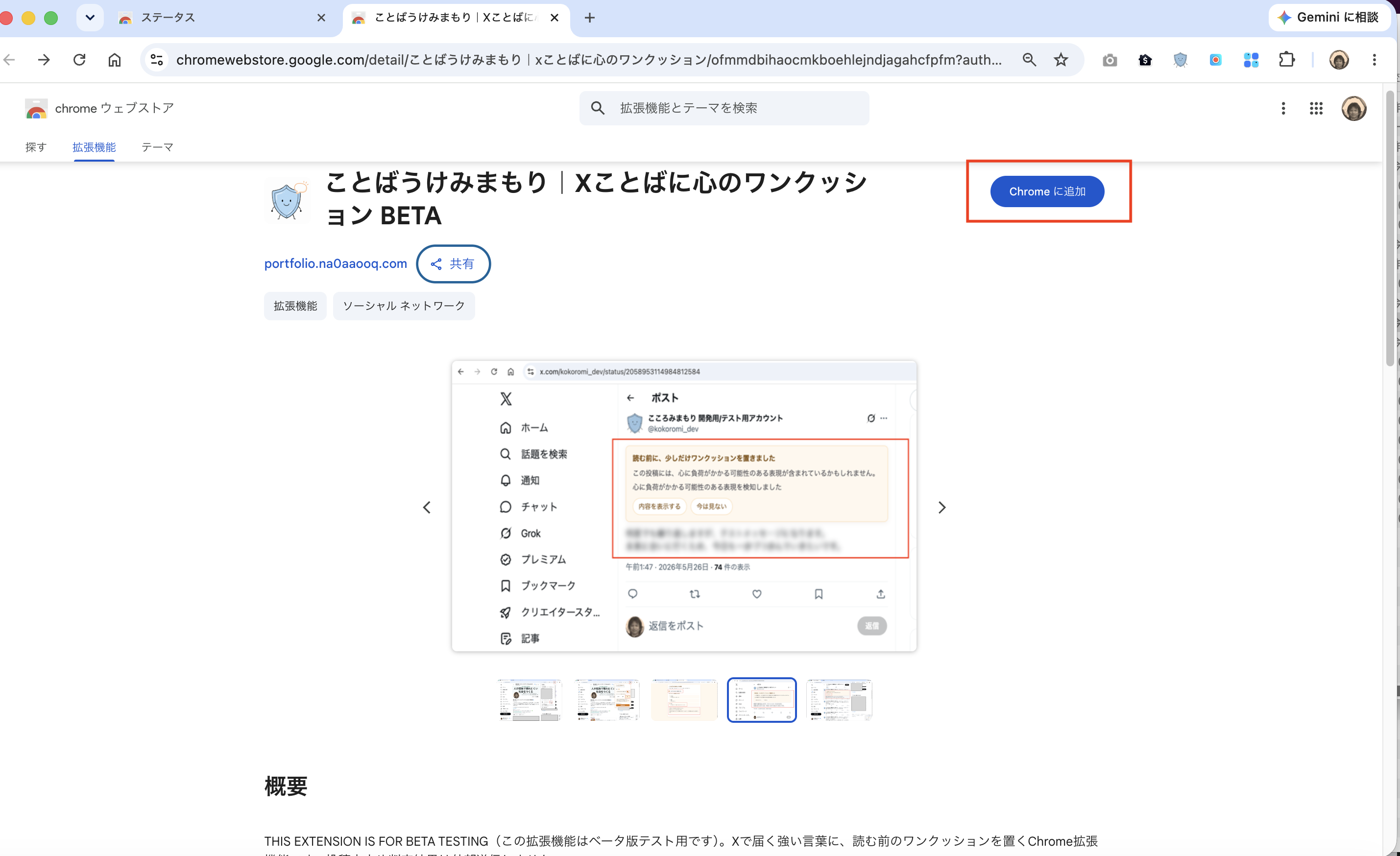
- Open the Kotoba Uke Mimamori Chrome Web Store page.
- Click "Add to Chrome".
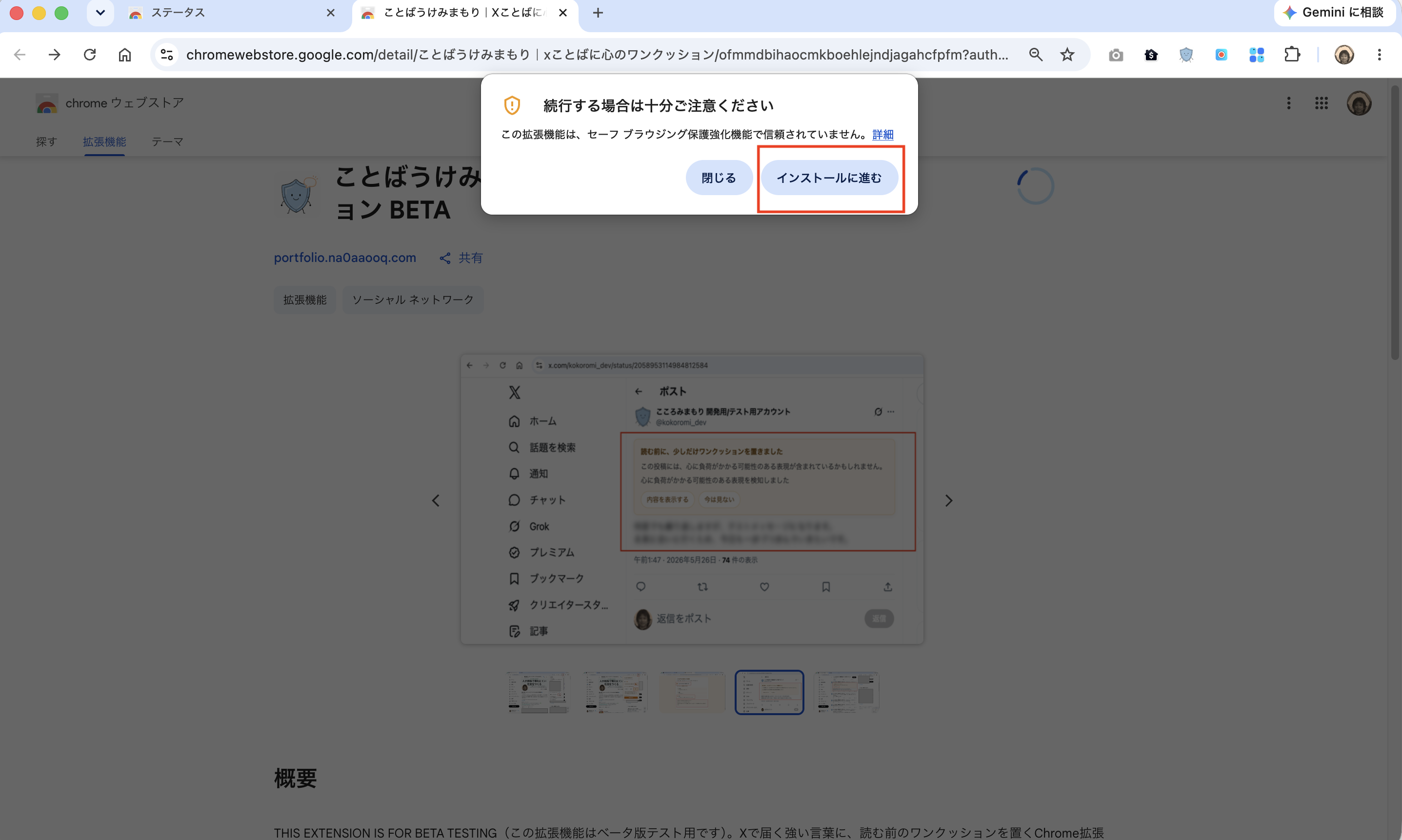
- If a warning screen appears, review the message and click "Continue to install".
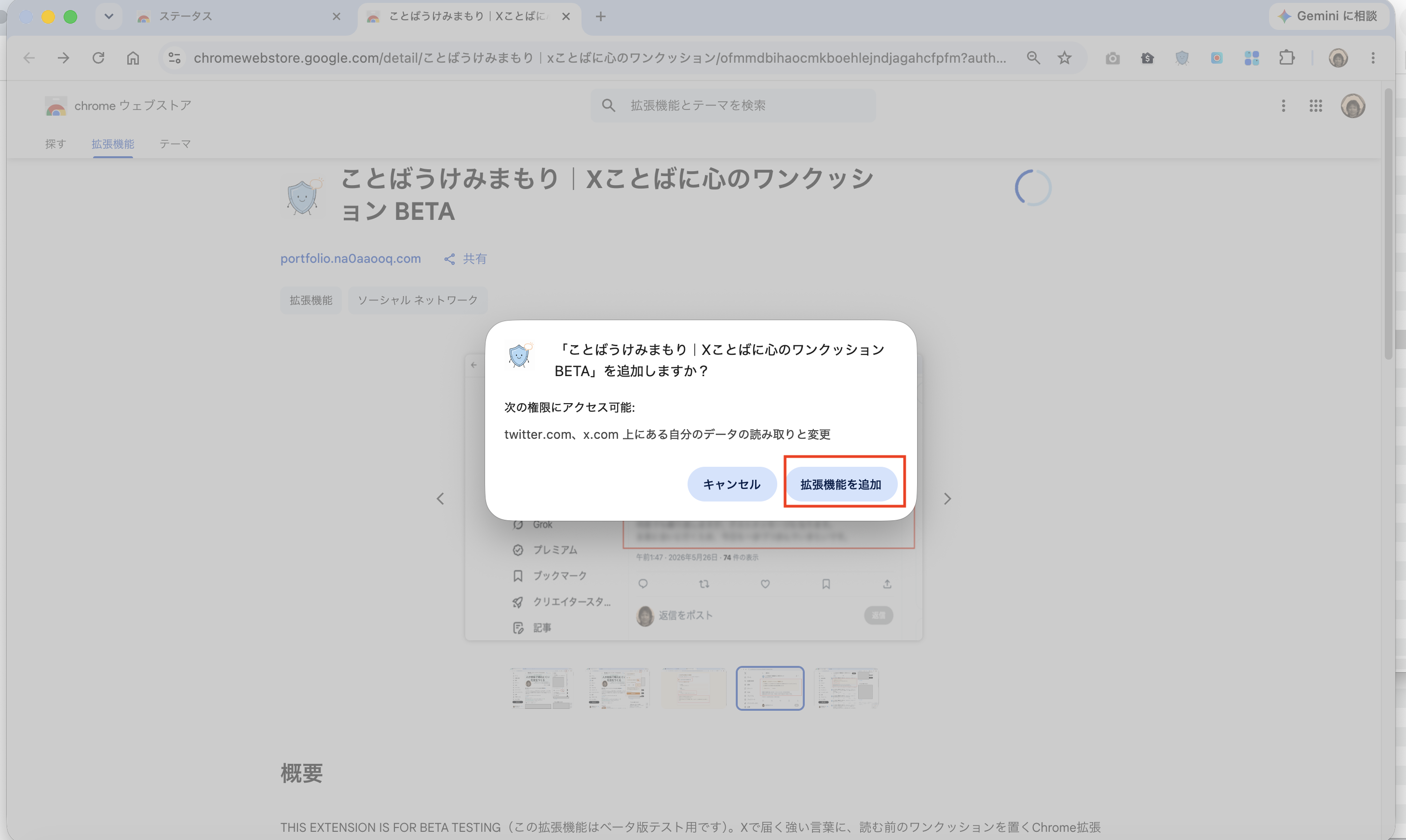
- On the permission confirmation screen, click "Add extension".
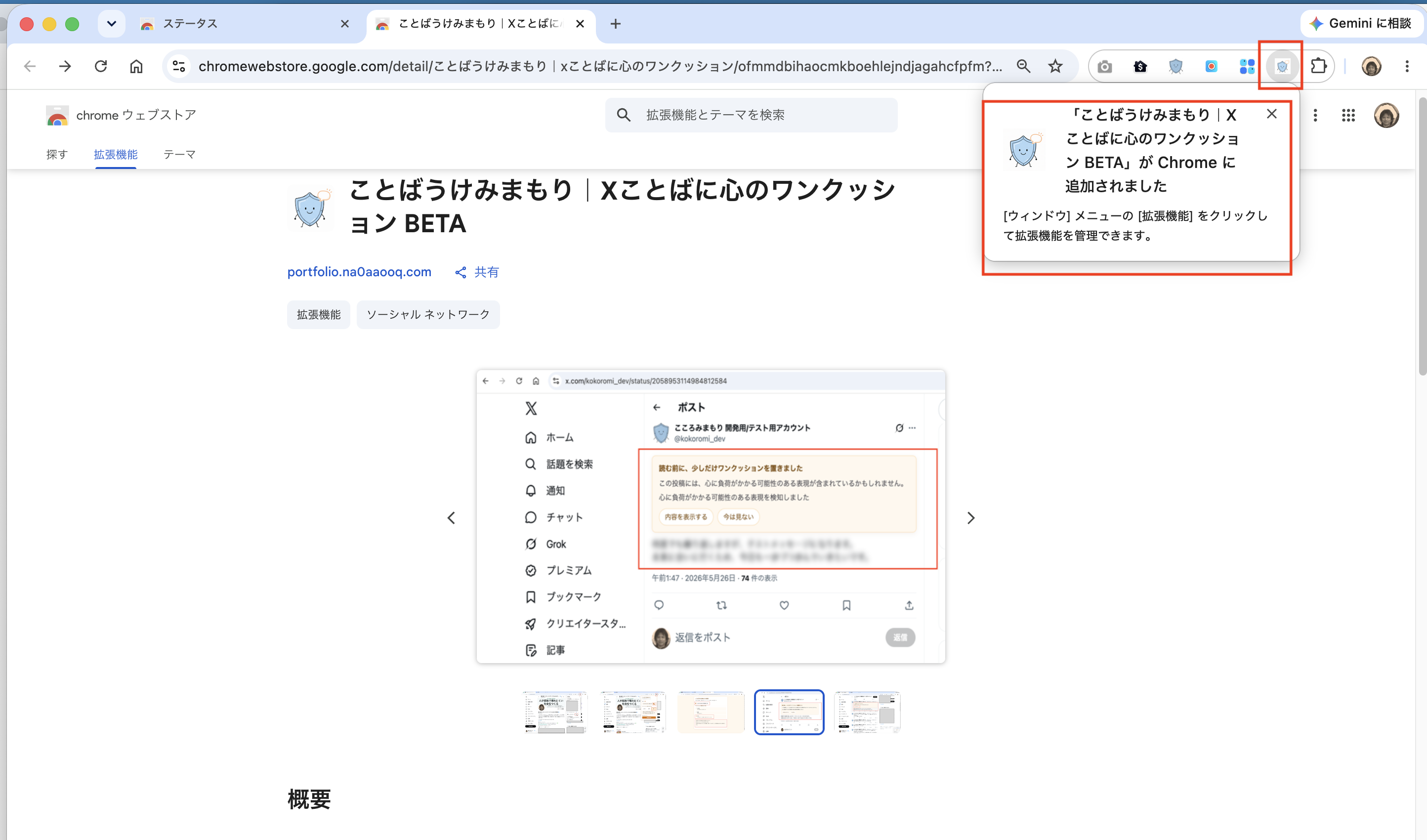
- Confirm that Kotoba Uke Mimamori has been added to Chrome.
- Open the extension menu in the upper-right corner of Chrome and pin Kotoba Uke Mimamori to the toolbar.
- Click the Kotoba Uke Mimamori toolbar icon to open the popup.
- Turn the extension ON when needed, then choose a display language and Low, Standard, or High for cushion sensitivity.
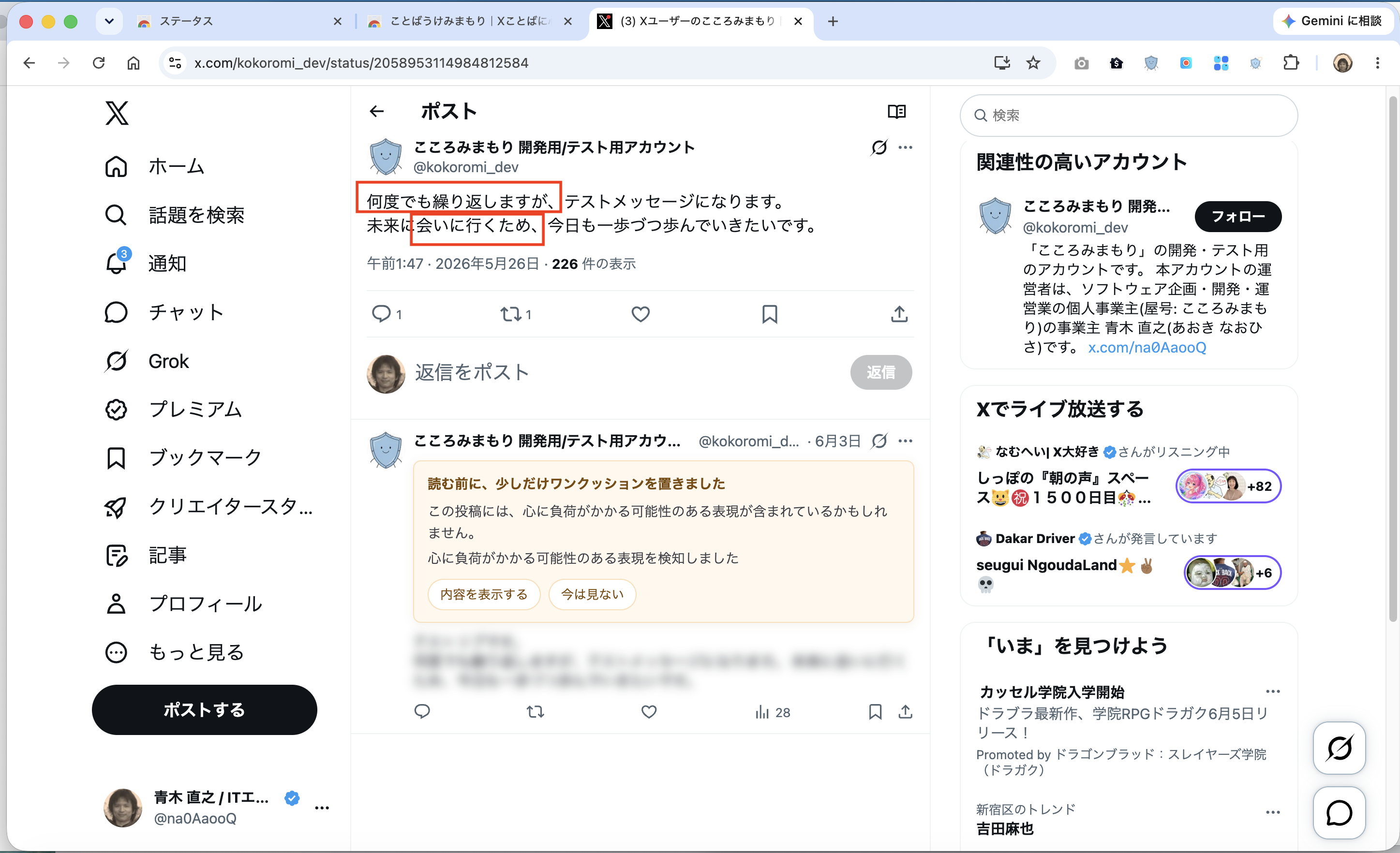
- Open X and confirm that a cushion is shown on a matching post.
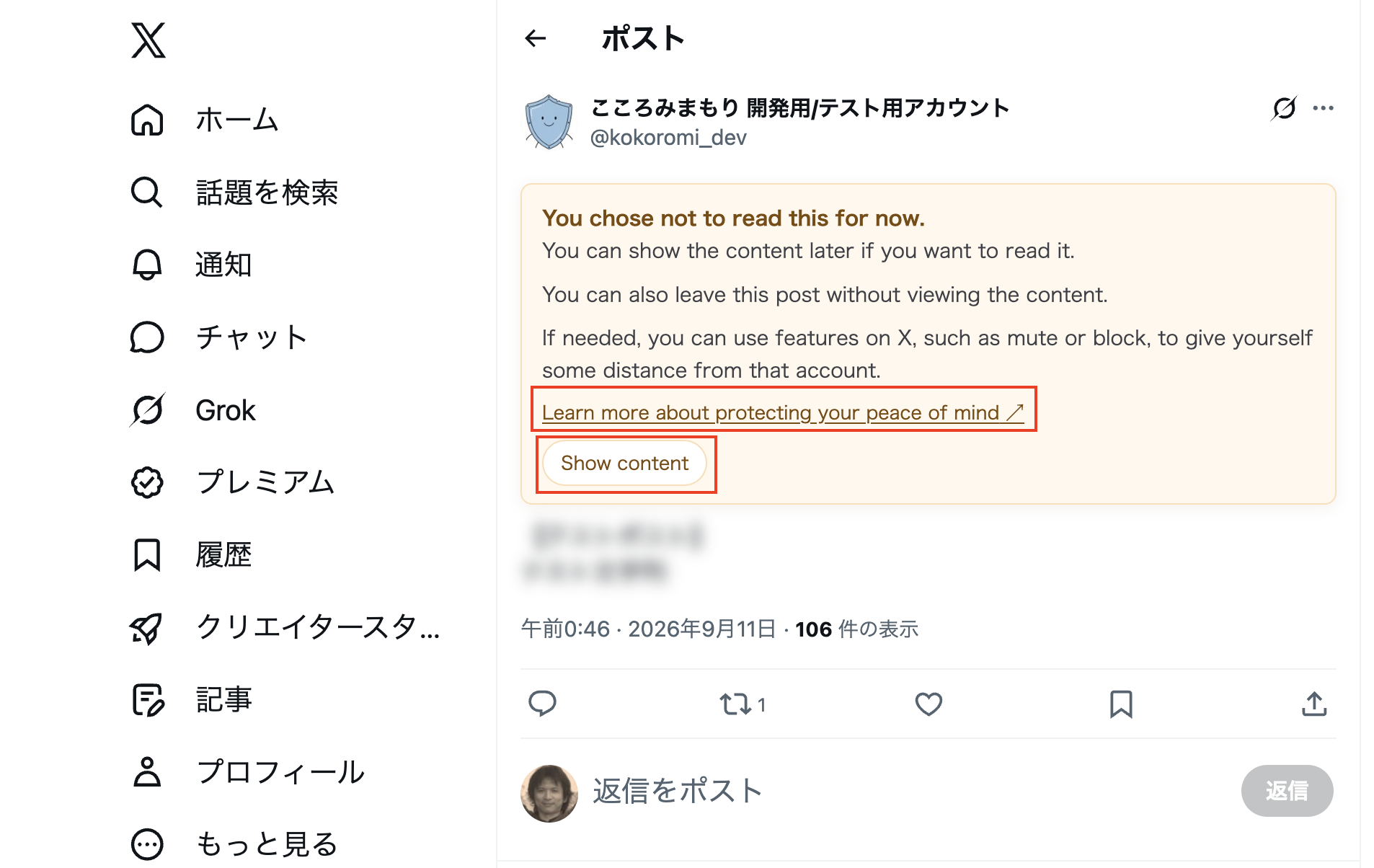
- Click "Not now" to keep the post blurred while leaving the option to show it later.
- Click "Show content" to remove the blur and view the post text.
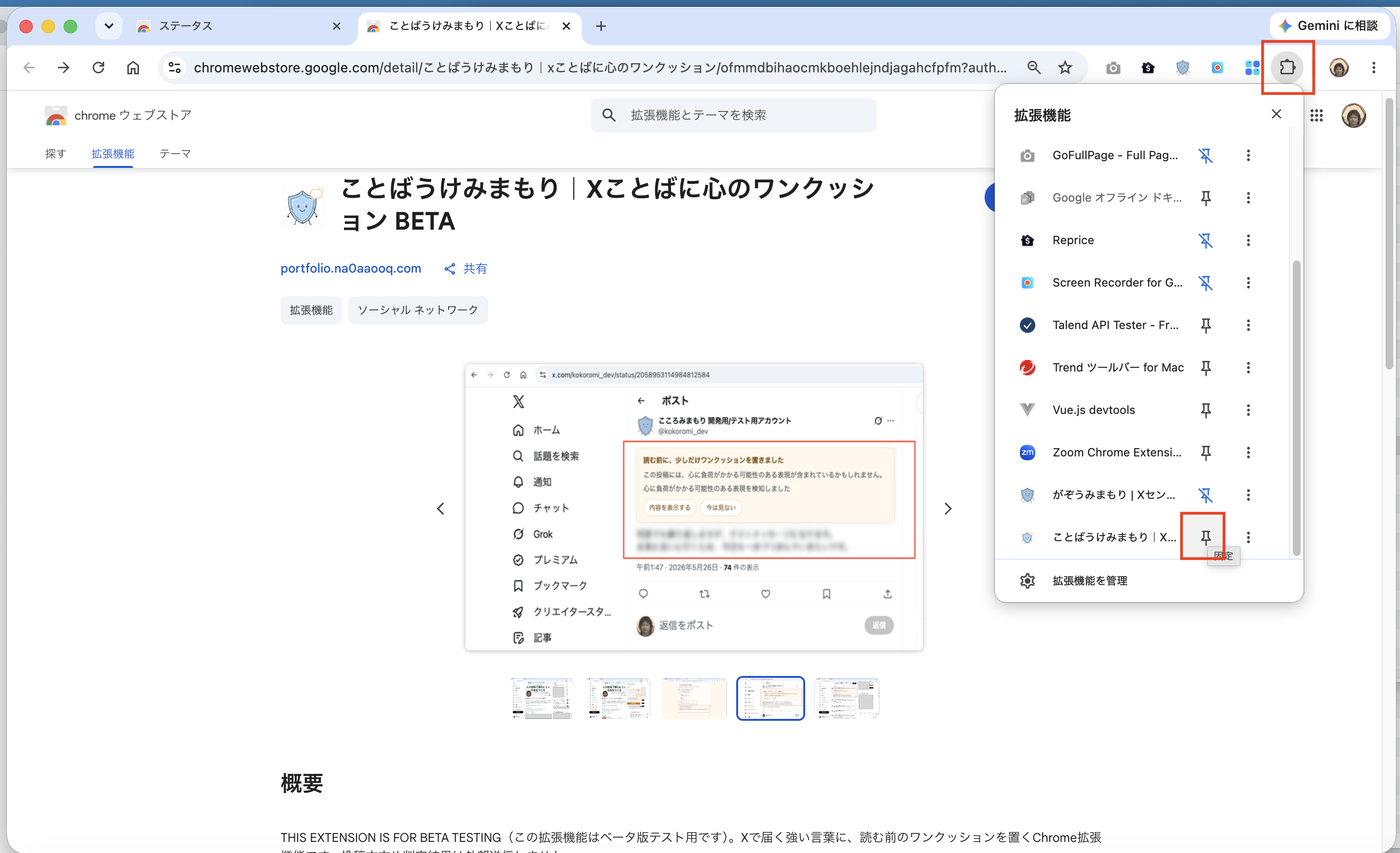
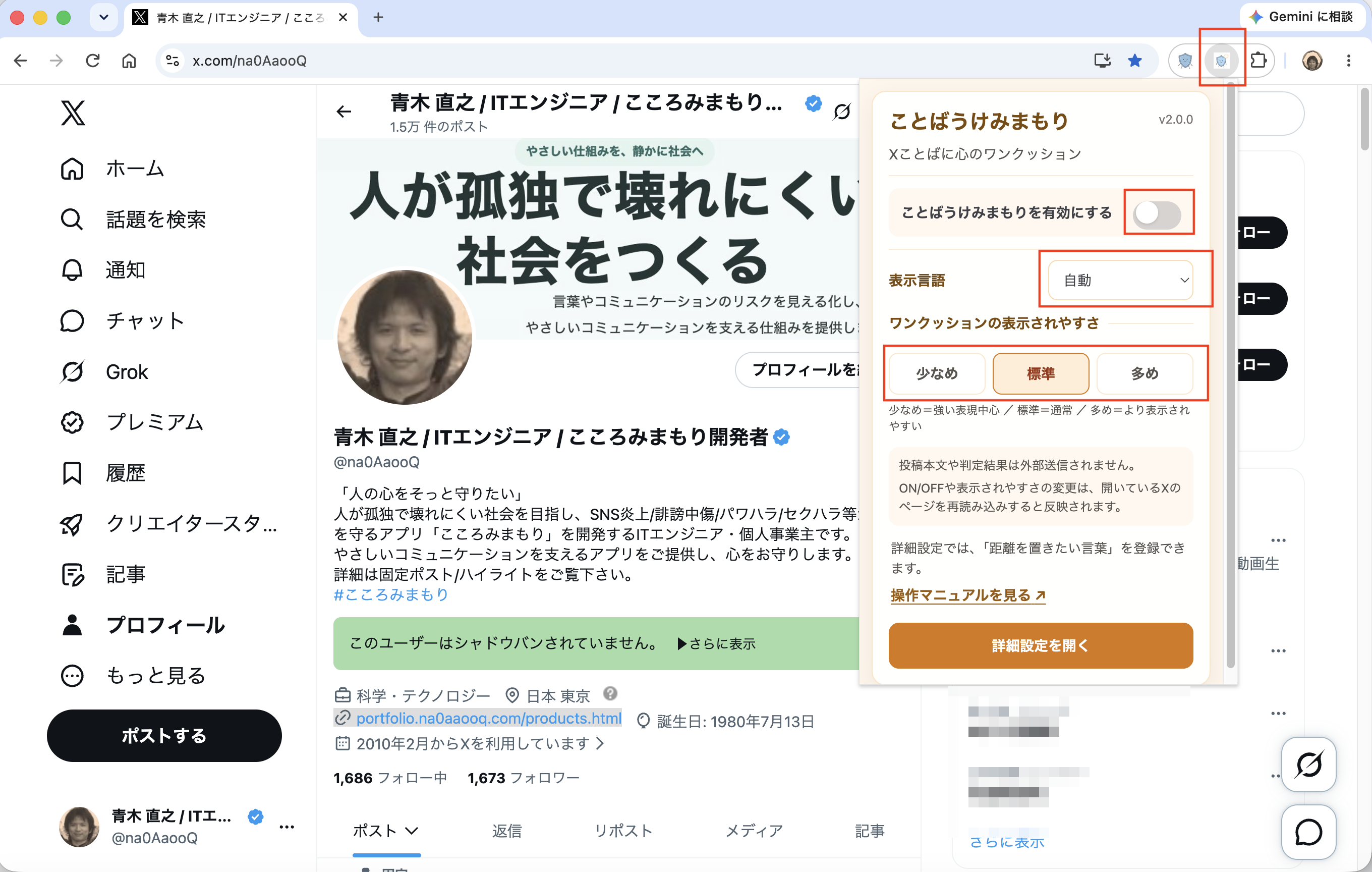
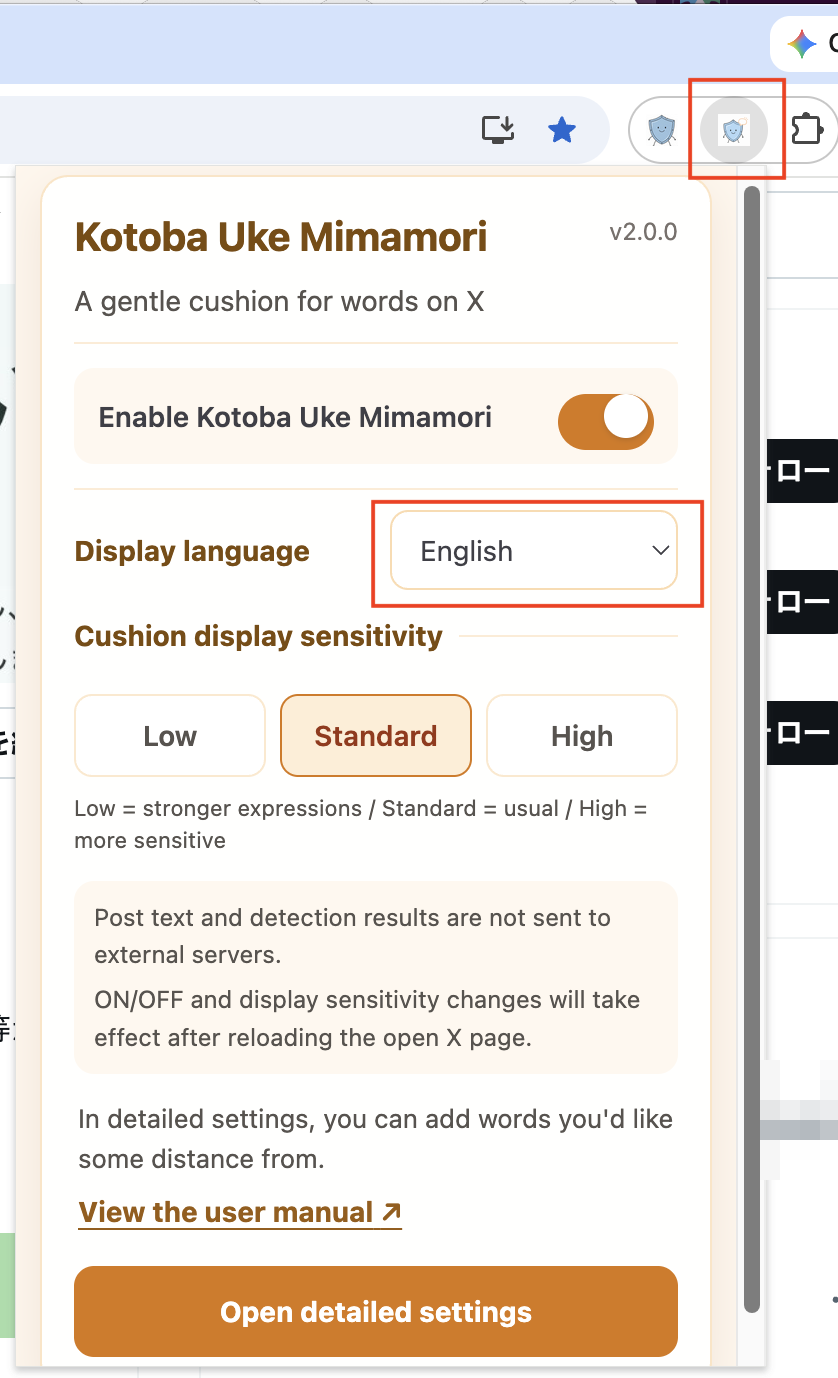
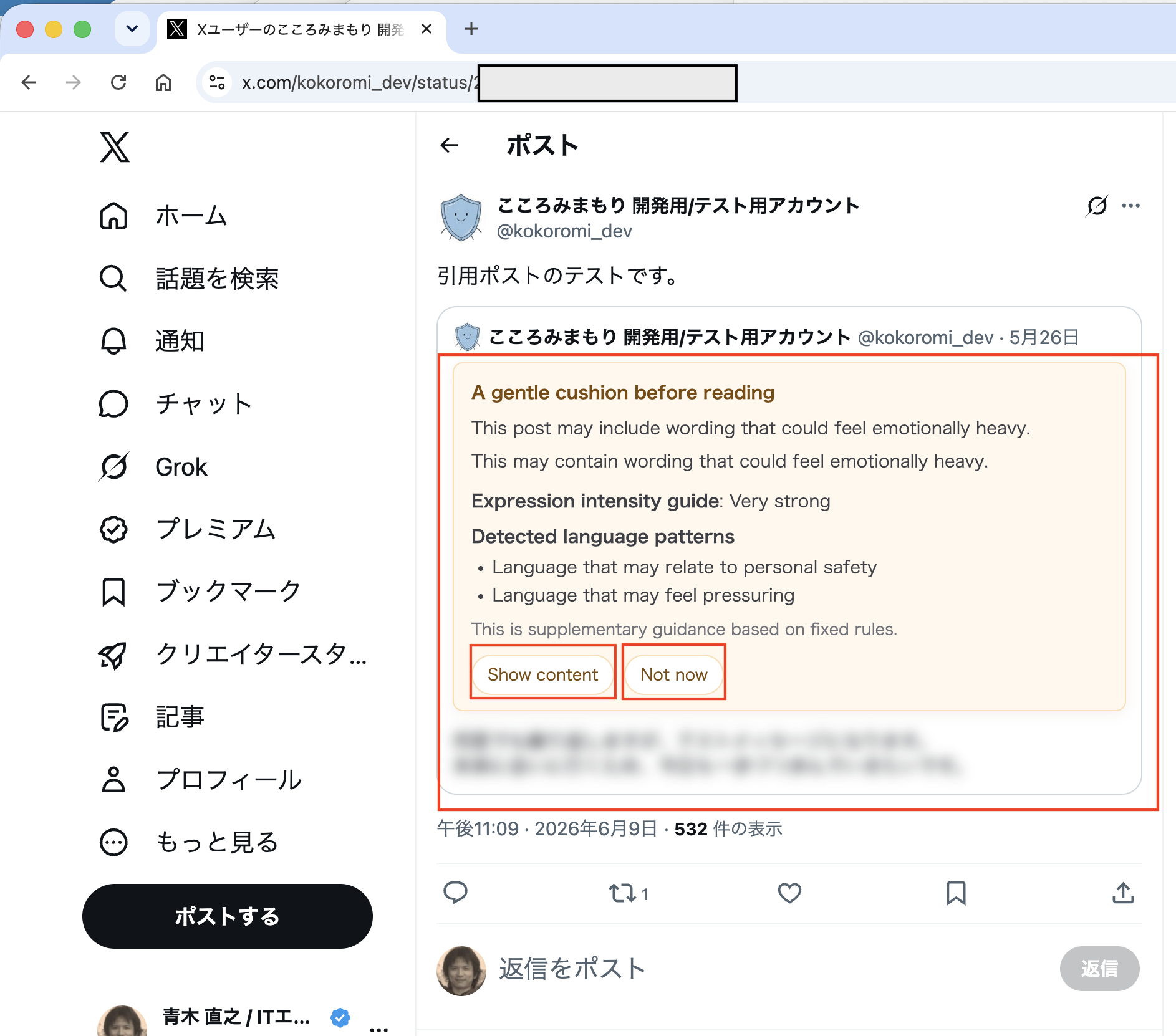
2. Change ON/OFF, display language, and sensitivity in the popup
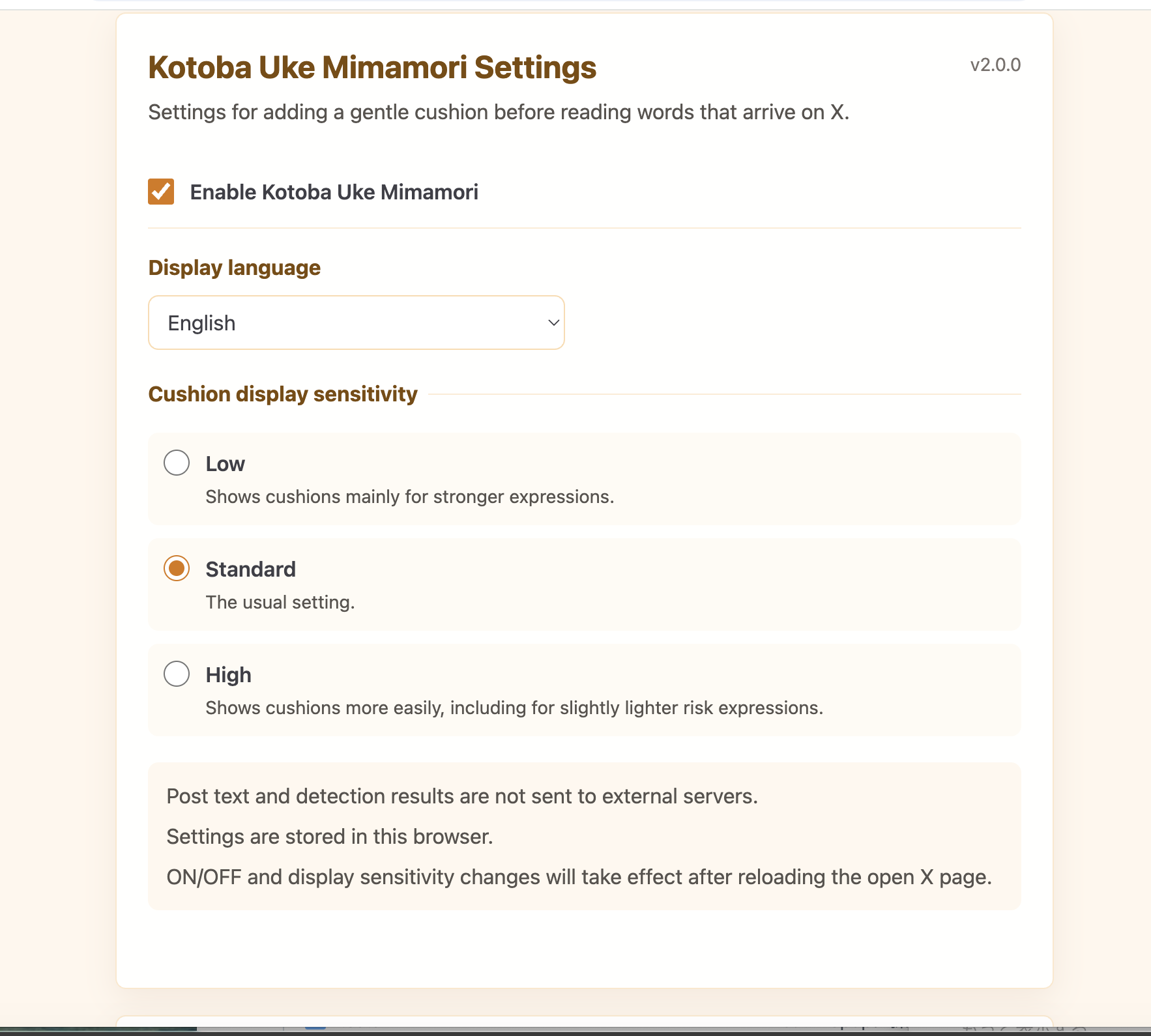
The popup can change the extension ON/OFF, display language, and cushion sensitivity. The initial state is OFF, and you can turn it ON when you want to use it.
- You can choose Auto, 日本語, or English for the display language. Auto uses Japanese when Chrome's UI language is Japanese and English otherwise for the popup, options page, and cushions shown on X. Choosing 日本語 also shows cushions in Japanese, while choosing English shows them in English. The popup and options page update immediately; cushions on X use the new language after you reload the X page.
-
You can choose the cushion display sensitivity from Low, Standard, or High.
- Low: Shows cushions mainly for stronger expressions.
- Standard: The usual setting.
- High: Shows cushions more easily, including for slightly lighter risk expressions.
- Post text and detection results are not sent to external servers.
- ON/OFF, sensitivity, and the language of cushions on X take effect after reloading the open X page.
Note: The version number shown in screenshots reflects the version at the time of capture and does not affect these instructions.
Detailed settings
Select "Open detailed settings" in the popup to open the options page. There you can review and change ON/OFF, display language, and cushion sensitivity. The display language is shared by the popup, options page, and cushions on X.
Register and manage "Words you'd like some distance from"
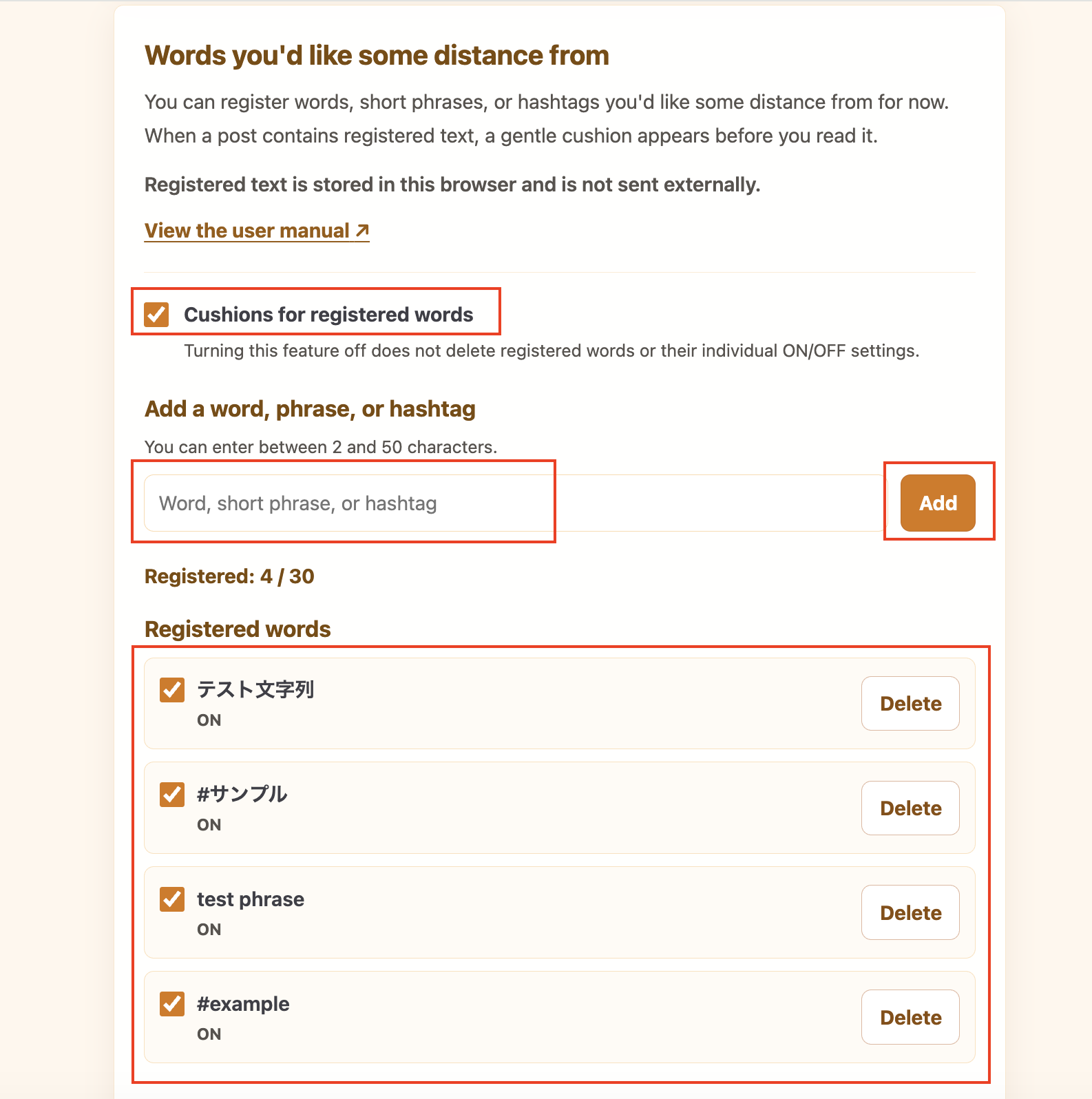
"Words you'd like some distance from" is a self-care feature that lets you register words, short phrases, or hashtags that you would prefer to have some distance from for now.
It does not label the words, short phrases, or hashtags you register as dangerous or bad.
- Each entry must be between 2 and 50 characters, and you can register up to 30 words, short phrases, or hashtags.
- You can turn the entire feature ON or OFF, turn each entry ON or OFF, and delete registered text.
- Turning the entire feature OFF keeps your registered text and each entry's ON/OFF setting.
- After making a change, reload any open X pages for the change to take effect.
A cushion is shown when matching text is found in post text, a reply, a quoted post, or a repost.
The check is not limited to individual words. It looks for the same text anywhere in the post content.
The extension does not use regular expressions, semantic search, or AI to interpret words or synonyms.
When there is a match, the cushion explains:
- This cushion is shown because this post contains text matching something you registered under "Words you'd like some distance from."
- Choose "Show content" to read the post.
- Choose "Not now" to continue to the existing shared follow-up state.
This matching is separate from the fixed-rule cushion check, and the matching registered entry is not shown in the cushion. If both checks apply, the fixed-rule cushion takes priority.
Registered text is stored in chrome.storage.local, and matching takes place in the Chrome browser. The extension does not send post text, registered text, or match results to an external server.
If "Words you'd like some distance from" settings cannot be read
- If the settings temporarily fail to load, you can retry by loading them again.
- If some registered data has a problem, usable entries are kept, and you can confirm before deleting only the problem data.
-
If the entire "Words you'd like some distance from" setting cannot be read safely, you can confirm before resetting it.
Other settings are not changed.
-
Kotoba Uke Mimamori will continue to receive version updates.
If an older version encounters a newer saved-data format that it cannot handle, the saved data is left unchanged.
3. When a cushion is shown
When the extension is ON, a gentle cushion may be shown before reading a post that includes wording that could feel emotionally heavy.
The "Expression intensity guide" and "Detected language patterns" are supporting information shown in the cushion, based on fixed rules. You can use them as a reference while deciding for yourself whether to read now or not now.
How to read the guidance
- The Expression intensity guide has three levels: "Somewhat strong," "Strong," and "Very strong."
-
Up to two Detected language patterns are shown to keep the information easy to read.
Detected language patterns
- Language that may relate to personal safety
- Language that may feel pressuring
- The detection result is not based on AI understanding the meaning of the post or judging its risk. It is supporting information based on the fixed detection rules in Kotoba Uke Mimamori, so false positives and missed detections may occur.
- It does not determine that a post is dangerous, determine whether its content is factually accurate, or assess the poster's personality or intent.
- Cushion or guidance display counts alone should not be used to assess a person or account.
Low, Standard, and High sensitivity affect the threshold at which a cushion appears. However, changing the cushion display sensitivity setting in Kotoba Uke Mimamori does not change the meaning of the Expression intensity guide for the same post.
- The post text is blurred.
- "Show content" displays the post text.
- "Not now" keeps the post blurred and lets you show it later.
- A cushion does not change or delete post text on X (Twitter).
4. After choosing Not now
If you choose "Not now", the post stays blurred for now.
You can still choose "Show content" later if you want to read it.
You can also leave the post without viewing the content.
If needed, you can use features on X, such as mute or block, to give yourself some distance from that account.
You can also choose "Learn more about protecting your peace of mind" to view additional guidance.
The intensity and pattern guidance is not shown in this state.
This keeps the display simple after you have chosen not to read for now, without asking you to decide again.
5. After choosing Show content
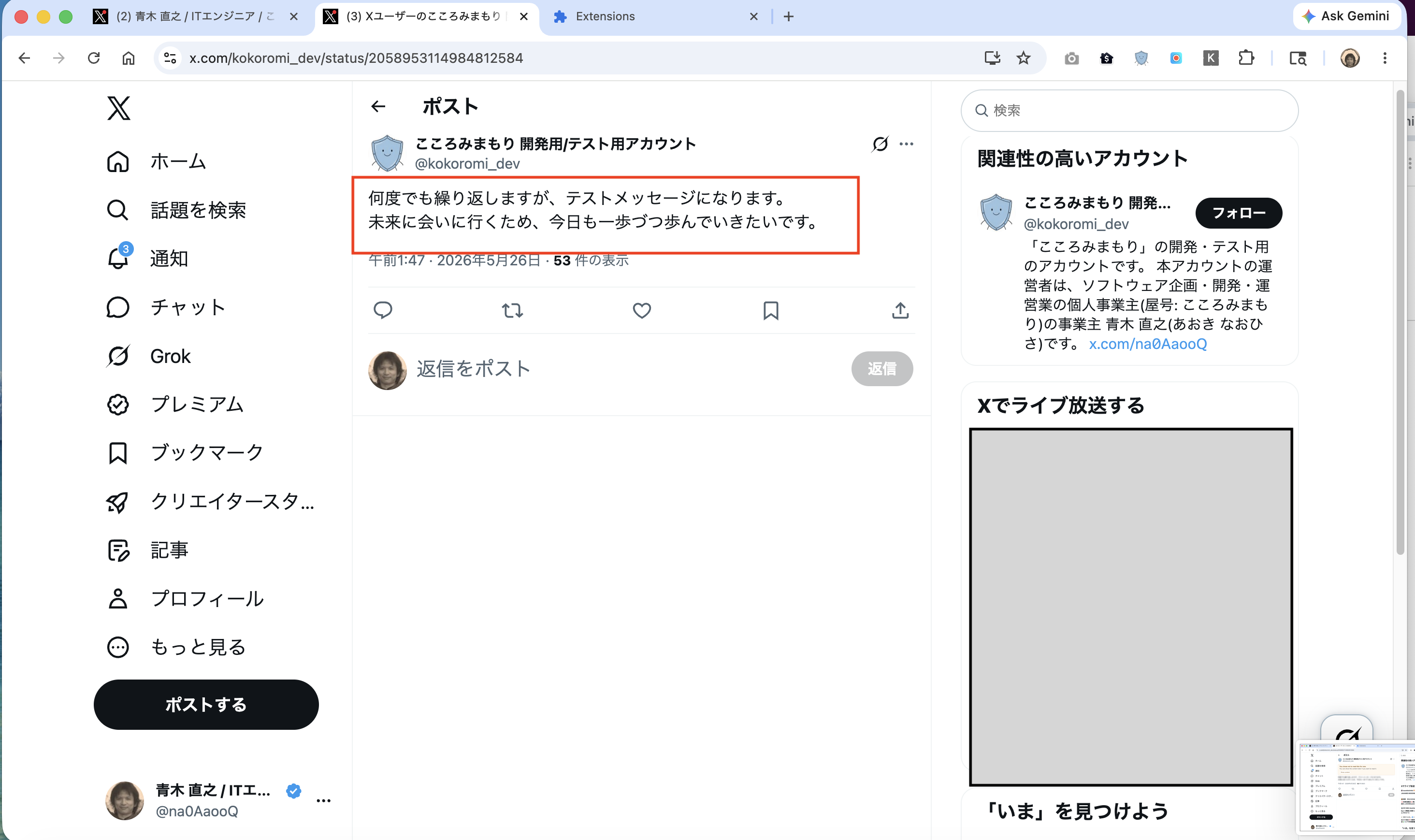
Choosing "Show content" removes the blur and shows the post text normally.
6. If it does not seem to work
- After changing ON/OFF or cushion sensitivity, reload the open X page.
- If you want to stop cushions, turn the extension OFF in the popup or options page and reload X.
- If X was already open when the extension was added or updated, reload the X page.
The current MVP applies setting changes when the X page loads, so a page reload is needed after changing settings.
7. What this tool values
Kotoba Uke Mimamori adds a cushion before reading instead of erasing posts completely. It leaves both the freedom to read and the freedom not to read now with the user.
Post text and detection results are not sent externally. Detection runs
locally in the browser. The existing settings enabled,
cushionSensitivity, and uiLanguage remain separate
from distanceTermsSettings, which stores registered text and
its ON/OFF settings.
This extension does not replace X's built-in mute features. It is a supplemental tool that adds a gentle pause before reading.
For more details, see the Privacy Policy.